


Update MSME Certificate Online | Upgrade Your Business
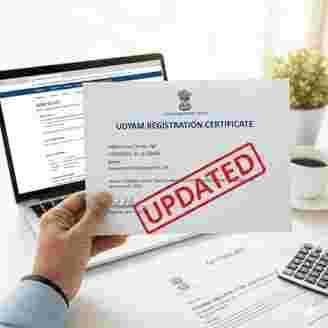
In India as a MSMEs owner if you want to access MSME benefits like collateral free loan from government banks, subsidies in government tender easy access of government schemes, subsidies in electricity bill and tax rebate from state and central government then you must keep your business details accurate and updated on msme certificate
Why You Need to Update MSME Certificate
While the MSME Certificate does not required mandatory annual update you only need to update it if you have done changes in your business like address ownership etc. here are some common reason to update MSME certificate.
· Changes in business address or contact details.
· Updates to your annual turnover or investment
· Changes in business activity or NIC codes.
· Modifications of bank account details.
· Change in number of employees.
· Correction of minor details (excluding core identity information).
Key Information & Documents Needed:
· Udyam Registration Number (URN): To access your existing Udyam registration.
· Aadhaar Number: To verify proprietor, partner, or authorized signatory .
· Pan Number: Of the enterprise (pulled from government records).
· GST ID: If applicable (also pulled from government records).
· Bank Account Details: Updated account number and IFSC code.
· Business Activity Details: Current primary business activity and corresponding National Industrial Classification (NIC) code.
· Turnover Details: Updated annual turnover.
· Number of Employees: Total count of people employed.
· Mobile Number & Email ID: Valid and active for OTP verification.
Step-by-Step Guide to Update MSME Certificate
The update process is quick and simple using the official Udyam portal.
1. Visit MSME Registration Portal: Visit a Udyam Registration Portal and Nevigate to bottom of the home page and click on update msme certificate.
2. Fill the application: Fill the form like Applicant Name, Mobile Number, Email Id, Udyam registration Number
3. Provide the details to be Updated on certificate: Fill the details you want to update
4. Verify with OTP: After submitting all the details An OTP (One-Time Password) will be sent to your registered contact details. Enter this OTP on the portal to authenticate your login.
5. Review and Submit: Double-check all the changes you have made to ensure accuracy.
6. Download Your New Certificate: After submitting the changes, the updated certificate may be processed instantly or within a few hours. You can then download the revised PDF from the portal for your records.
Important Considerations
· What Cannot Be Updated: For security reasons, certain core details linked to the initial Aadhaar verification cannot be changed through the standard online process. These typically include the applicant's name, Aadhaar number, state, and district of registration.
· Keep Information Current: An accurate certificate is vital for seamless access to government tenders and financial support schemes.
· Migration from Udyog Aadhaar: If your business was registered under the previous Udyog Aadhaar system (before July 1, 2020), it is mandatory to re-register under the Udyam portal to maintain your MSME status and benefits.
By keeping your Udyam certificate updated, you ensure your business remains compliant and ready to take advantage of the numerous benefits the government offers to the MSME sector.
Conclusion:
Updating your MSME (Udyam) Certificate is a small administrative task that yields significant long-term rewards. By ensuring your business data is accurate and synchronized with your latest ITR and GST filings, you protect your access to lower interest rates, government tenders, and crucial subsidy schemes.
 English
 Arabic
 French
 Spanish
 Portuguese
 Deutsch
 Turkish
 Dutch
Dutch
 Italiano
 Russian
 Romaian
 Portuguese (Brazil)
 Greek
Greek
