


Relive the Blocky Magic: Your Guide to Eaglercraft
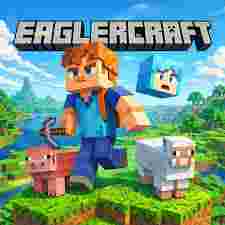
Remember those simpler times, when building towering castles or exploring vast, pixelated landscapes was the height of adventure? For many of us, Minecraft holds a special place in our gaming hearts. But what if you're on a Chromebook, stuck in a school network, or simply want to jump into the classic experience without any downloads or installations? Enter Eaglercraft , a fantastic browser-based solution that brings that beloved blocky world right to your fingertips.
What is Eaglercraft? The Browser-Based Adventure Awaits
Eaglercraft is essentially a client that allows you to play a version of Minecraft 1.8.8 directly in your web browser. This means no complicated setups, no admin permissions needed, and the freedom to jump in almost anywhere with an internet connection. It’s a fantastic way to experience the nostalgic charm of older Minecraft versions, complete with familiar mechanics, crafting recipes, and the iconic cube-shaped world. Whether you're a returning veteran or curious about what classic Minecraft felt like, Eaglercraft offers an accessible and engaging portal. You can find this accessible world by visiting Eaglercraft
Diving into the Game: Gameplay Basics
Getting started with Eaglercraft is incredibly straightforward. Once you navigate to the Eaglercraft website, you'll be greeted with a familiar Minecraft-esque menu.
- Singleplayer: This is where you can create your own worlds, build magnificent structures, mine for resources, and survive against the elements. The controls are standard Minecraft: W, A, S, D to move, spacebar to jump, left-click to break blocks, and right-click to place them. Inventory management (E key) and crafting are just as you remember them.
- Multiplayer: Eaglercraft truly shines in its multiplayer capabilities. You can connect to a variety of community servers, ranging from creative building realms to survival challenges and minigames. This is where the social aspect of Minecraft truly comes alive, allowing you to collaborate, compete, and make new friends in a shared pixelated universe. Look for server lists on community forums or within the Eaglercraft client itself.
Tips for a Smooth Eaglercraft Experience
To get the most out of your Eaglercraft journey, consider these friendly tips:
- Browser Choice: While Eaglercraft works on most modern browsers, Chrome or Firefox often offer the best performance. Ensure your browser is up-to-date.
- Internet Connection: As it’s browser-based, a stable internet connection is crucial for a lag-free experience, especially in multiplayer.
- Server Selection: When playing multiplayer, experiment with different servers. Some might have more players, different gamemodes, or a more welcoming community. Don't be afraid to try a few until you find your fit.
- Embrace the 1.8.8 Charm: Remember that Eaglercraft is based on an older version of Minecraft. This means no pandas, no phantoms, and some of the newer blocks or features you might be used to won't be present. Embrace the simplicity and classic feel!
- Community Resources: There's a thriving Eaglercraft community online. If you encounter issues, need advice, or want to find new servers, a quick search on forums or Discord will likely yield helpful results.
Conclusion: Your Portable Pixel Playground
Eaglercraft offers a delightful and accessible way to revisit the magic of Minecraft 1.8.8. Whether you're looking for a quick dose of nostalgia, a creative outlet, or a social gaming experience, it delivers without the hurdles of traditional installations. So, open your browser, load up Eaglercraft, and get ready to mine, craft, and explore – the blocky world awaits!
 English
 Arabic
 French
 Spanish
 Portuguese
 Deutsch
 Turkish
 Dutch
Dutch
 Italiano
 Russian
 Romaian
 Portuguese (Brazil)
 Greek
Greek
