


Motion Design in UI/UX: Turning Complex Interactions into Simple, Understandable Experiences
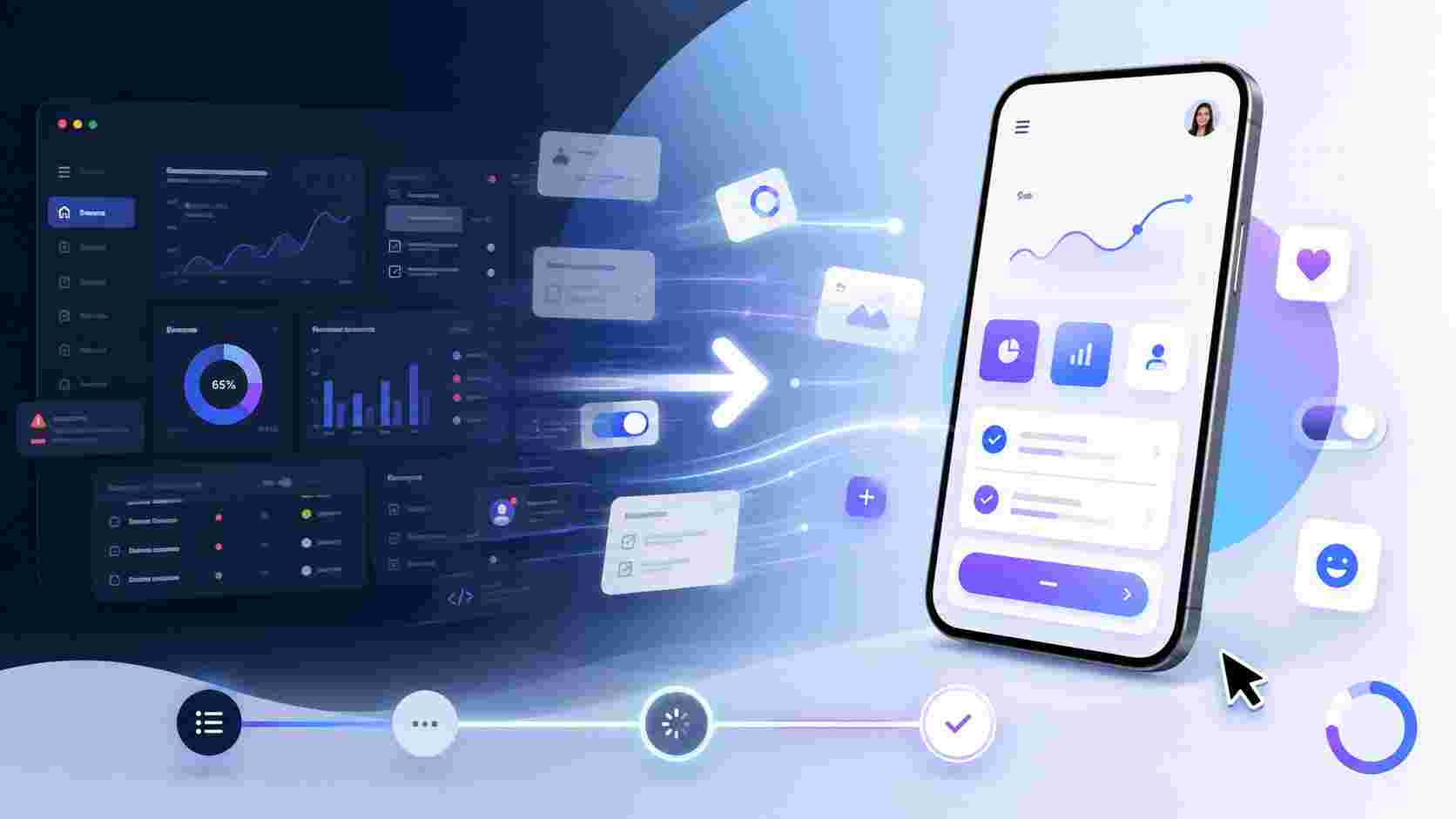
Digital products are becoming more powerful, but they are also becoming more complex. A modern app or website may include onboarding flows, dashboards, filters, search systems, payment journeys, account settings, notifications, drag-and-drop actions, and many other interactive elements. If these interactions are not designed carefully, users can easily feel lost.
This is where motion design becomes important in UI/UX. Motion is not only about making an interface look attractive. When used with purpose, it helps users understand what is happening, where they are going, what action they just performed, and what they should do next.
In simple words, motion design helps transform complex digital interactions into smooth, clear, and understandable experiences.
What Is Motion Design in UI/UX?
Motion design in UI/UX refers to the use of animation, transitions, movement, timing, and visual feedback inside a digital product. It can appear in many forms, such as button animations, page transitions, loading states, onboarding sequences, hover effects, menu expansions, swipe gestures, progress indicators, and microinteractions.
The goal is not to decorate the interface. The real purpose is to improve communication between the product and the user.
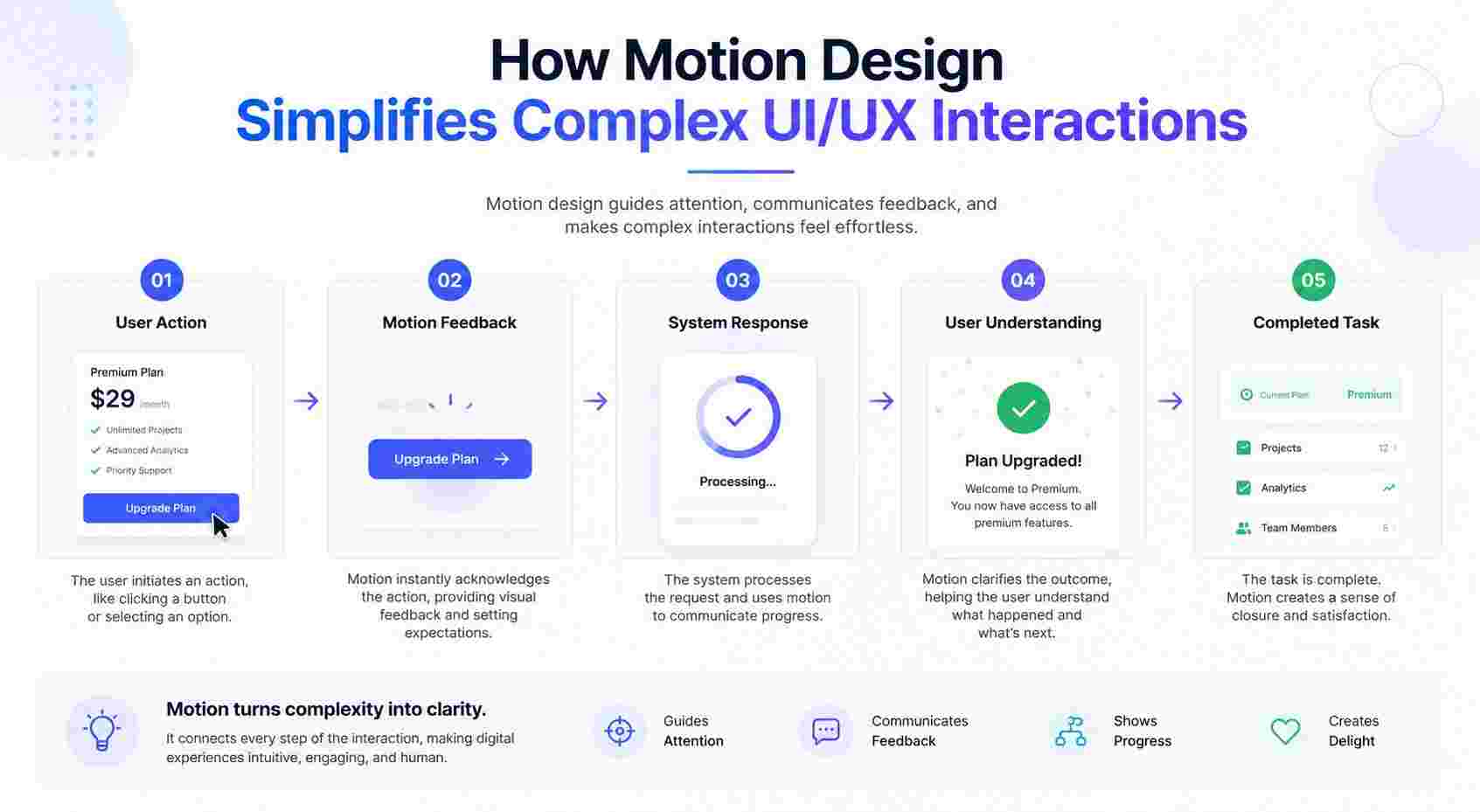
For example, when a user taps a button and it changes color, moves slightly, or shows a loading state, the interface is telling the user, “Your action has been received.” When a card smoothly expands into a detailed view, the user understands that both screens are connected. When a progress bar moves during checkout, the user can clearly see how many steps are left.
This type of visual communication reduces confusion and makes the experience feel more natural.
Why Motion Design Matters in Modern UI/UX
Users do not want to think too hard while using a digital product. They want to complete their task quickly and confidently. Whether they are booking a service, managing finances, purchasing a product, or using a SaaS dashboard, the experience should feel easy to follow.
Motion design supports this by adding clarity to interactions. Instead of abrupt changes, motion creates a visual connection between one state and another. This helps users understand the relationship between actions and results.
For example, imagine opening a mobile navigation menu. If the menu instantly appears without movement, the user may still understand it, but the interaction may feel sudden. If the menu slides in from the side, the movement explains where the menu came from and how it relates to the current screen. That small motion makes the interface easier to understand.
This is why many companies invest in professional Motion Design Services as part of their digital product strategy. When motion is planned properly, it can improve usability, reduce friction, and make the product feel more polished.
How Motion Design Simplifies Complex Interactions
Complexity in UI/UX often comes from multiple steps, hidden actions, unfamiliar layouts, or unclear system responses. Motion design helps by making these moments easier to understand.
1. It Shows Cause and Effect
One of the most important roles of motion design is showing users that their action has created a response.
For example:
- A button changes state after being clicked.
- A file upload shows progress.
- A form field shakes gently when an error occurs.
- A completed task fades out or moves to a completed section.
- A card expands after the user selects it.
These small movements help users connect their action with the system response. Without this feedback, users may wonder whether the product is working or whether they need to repeat the action.
2. It Guides Attention
Users do not always know where to look next. Motion can guide their attention toward the most important part of the screen.
For example, if a user adds a product to a cart, a subtle animation can move the item toward the cart icon. This tells the user that the item has been successfully added. In a dashboard, a newly updated number can animate slightly to draw attention to the change.
This type of motion should be subtle. If too many elements move at the same time, the interface becomes distracting. Good motion design guides attention without overwhelming the user.
3. It Makes Navigation Feel Natural
Navigation is one of the most common areas where motion design improves UX. Users move between pages, screens, tabs, menus, and content sections. If these changes happen too suddenly, the experience can feel disconnected.
Smooth transitions help users understand that they are moving from one place to another within the same product. This is especially useful in mobile apps, where screen space is limited and transitions help explain the structure of the interface.
For example, a slide transition can show that the user is moving forward in a flow. A back transition can visually communicate that the user is returning to a previous step. These small details make navigation feel more logical.
4. It Reduces Cognitive Load
Cognitive load refers to the mental effort required to understand and use something. A product with too many unclear actions, sudden changes, or confusing layouts increases cognitive load.
Motion design can reduce that effort by explaining changes visually. Instead of forcing users to figure out what happened, the interface shows them through movement.
For example, when a filter is applied to a product listing page, the items can smoothly rearrange instead of instantly changing. This helps users understand that the visible results changed because of the selected filter.
Key Areas Where Motion Design Improves UI/UX
Motion design can support many parts of a digital product. Below are some of the most useful areas.
Onboarding Experiences
Onboarding is often the first interaction a user has with a product. If the onboarding process feels confusing, users may leave before exploring the product properly.
Motion can make onboarding more engaging and easier to follow. Animated illustrations, progress indicators, and smooth step transitions can help users understand the product’s value without feeling overloaded.
For example, a finance app may use motion to explain how users can track expenses, set budgets, and view reports. Instead of showing everything at once, the product can reveal information step by step.
Forms and Input Fields
Forms are one of the most common friction points in digital products. Users may make mistakes, miss required fields, or feel unsure about what information is needed.
Motion design can improve forms through:
- Animated field focus states
- Real-time validation feedback
- Smooth error messages
- Progress indicators for multi-step forms
- Confirmation animations after submission
These interactions make forms feel more responsive and less frustrating.
Dashboards and Data Interfaces
Dashboards often include charts, tables, filters, cards, and real-time updates. Without proper structure, they can feel overwhelming.
Motion can help users understand data changes. For example, numbers can count upward, charts can animate when loaded, and filtered data can transition smoothly. This helps users notice what changed and why it matters.
However, dashboard motion should be used carefully. The goal is to support understanding, not to make the interface feel busy.
E-Commerce Experiences
In e-commerce, motion design can improve product discovery, cart interactions, checkout flows, and purchase confirmation.
Examples include:
- Product image hover animations
- Add-to-cart feedback
- Cart drawer transitions
- Checkout progress indicators
- Payment confirmation animation
These small details can make the buying journey feel smoother and more trustworthy.
Mobile App Interactions
Mobile apps rely heavily on gestures such as swiping, tapping, dragging, and scrolling. Motion design helps make these gestures feel physical and intuitive.
For example, when a user swipes a card away, the motion confirms that the item has been dismissed. When a bottom sheet slides up, the user understands that additional information is appearing without leaving the current screen.
Good mobile motion design makes the interface feel responsive and alive.
Statistic Table: Motion Design Impact on UI/UX Performance
The exact impact of motion design depends on the product, audience, industry, and implementation quality. However, the table below shows common UX performance areas where thoughtful motion design can contribute measurable improvements.
| UX Metric | How Motion Design Helps | Potential Business Impact |
|---|---|---|
| Task Completion Rate | Guides users through steps with clearer transitions and feedback | More users complete forms, purchases, or onboarding |
| User Engagement | Makes interactions feel more responsive and enjoyable | Users spend more time exploring the product |
| Error Reduction | Uses animated validation and visual feedback to highlight mistakes | Fewer failed submissions and support issues |
| Perceived Performance | Loading animations and skeleton screens make wait times feel shorter | Users are less likely to abandon the experience |
| Navigation Clarity | Screen transitions show relationship between pages and actions | Users feel more confident moving through the product |
| User Retention | A smoother experience encourages users to return | Better long-term product adoption |
| Conversion Rate | Reduced friction in key flows can support more completed actions | Improved leads, sign-ups, or sales |
This table should be treated as a strategic UX reference rather than a fixed guarantee. Motion design performs best when it is tested with real users and aligned with product goals.
The Difference Between Decorative Motion and Functional Motion
Not all animation improves UX. Some motion is purely decorative, while some motion is functional. The difference is important.
Decorative motion exists mainly to make the product look stylish. It may include background animations, floating shapes, or visual effects that do not directly help the user complete a task.
Functional motion, on the other hand, has a clear purpose. It explains, guides, confirms, or supports an action.
For example:
- A decorative animation may show floating icons on a homepage.
- A functional animation may show a password requirement turning green when completed.
Both can have value, but functional motion is more important in UI/UX because it directly improves the user experience.
A strong UI UX Design Agency usually focuses on functional motion first. Visual polish comes after usability, not before it.
Motion Design Principles for Better UI/UX
To use motion effectively, designers need to follow certain principles. Poorly planned animation can slow down the experience, distract users, and even create accessibility problems.
1. Purpose
Every motion element should have a reason. Before adding animation, designers should ask:
- Does this help the user understand something?
- Does it provide feedback?
- Does it guide attention?
- Does it make the flow easier?
If the answer is no, the animation may not be necessary.
2. Timing
Timing affects how motion feels. If an animation is too fast, users may miss it. If it is too slow, the interface may feel heavy.
Most UI animations work well when they are quick and smooth. Microinteractions are usually short, while larger transitions may take slightly longer. The key is to make the motion noticeable without delaying the user.
3. Consistency
Motion should feel consistent across the product. Similar actions should have similar animations.
For example, if one modal slides up from the bottom, other similar modals should behave the same way. This consistency helps users learn the product faster.
4. Hierarchy
Motion should support visual hierarchy. Important elements can move slightly more than secondary elements. However, if everything moves equally, nothing feels important.
Good motion design tells users what deserves attention.
5. Accessibility
Some users are sensitive to motion. Too much movement can cause discomfort or distraction. Designers should avoid excessive motion and consider reduced-motion preferences where possible.
Accessibility-friendly motion is subtle, meaningful, and respectful of user needs.
About ZeeFrames
ZeeFrames focuses on creating digital experiences that combine visual storytelling with practical usability. In the context of UI/UX, ZeeFrames understands that motion should do more than make a product look modern; it should help users move through an interface with confidence. By blending design thinking, interaction strategy, and animation principles, ZeeFrames helps brands create interfaces that feel clear, smooth, and engaging. Whether a product needs animated onboarding, microinteractions, explainer-style interface visuals, or complete Motion Design Services, ZeeFrames brings a human-centered approach to turning static screens into meaningful digital experiences.
Common Motion Design Patterns in UI/UX
Motion design appears in many different patterns. Some are small and simple, while others are more advanced.
Microinteractions
Microinteractions are small animations that happen when users interact with an interface. Examples include liking a post, toggling a switch, saving an item, or refreshing content.
They are small, but they have a big effect on user confidence.
Loading States
Loading states tell users that the system is working. Instead of showing a blank screen, designers can use spinners, progress bars, skeleton screens, or animated placeholders.
This reduces uncertainty and improves perceived speed.
Page Transitions
Page transitions help users understand movement between screens. This is useful in apps, websites, dashboards, and multi-step flows.
Hover and Focus States
Hover and focus animations show users that an element is interactive. This is especially important for buttons, cards, menus, and links.
Confirmation Animations
After users complete an action, a confirmation animation can create a sense of completion. This can be used for form submissions, payments, downloads, or saved changes.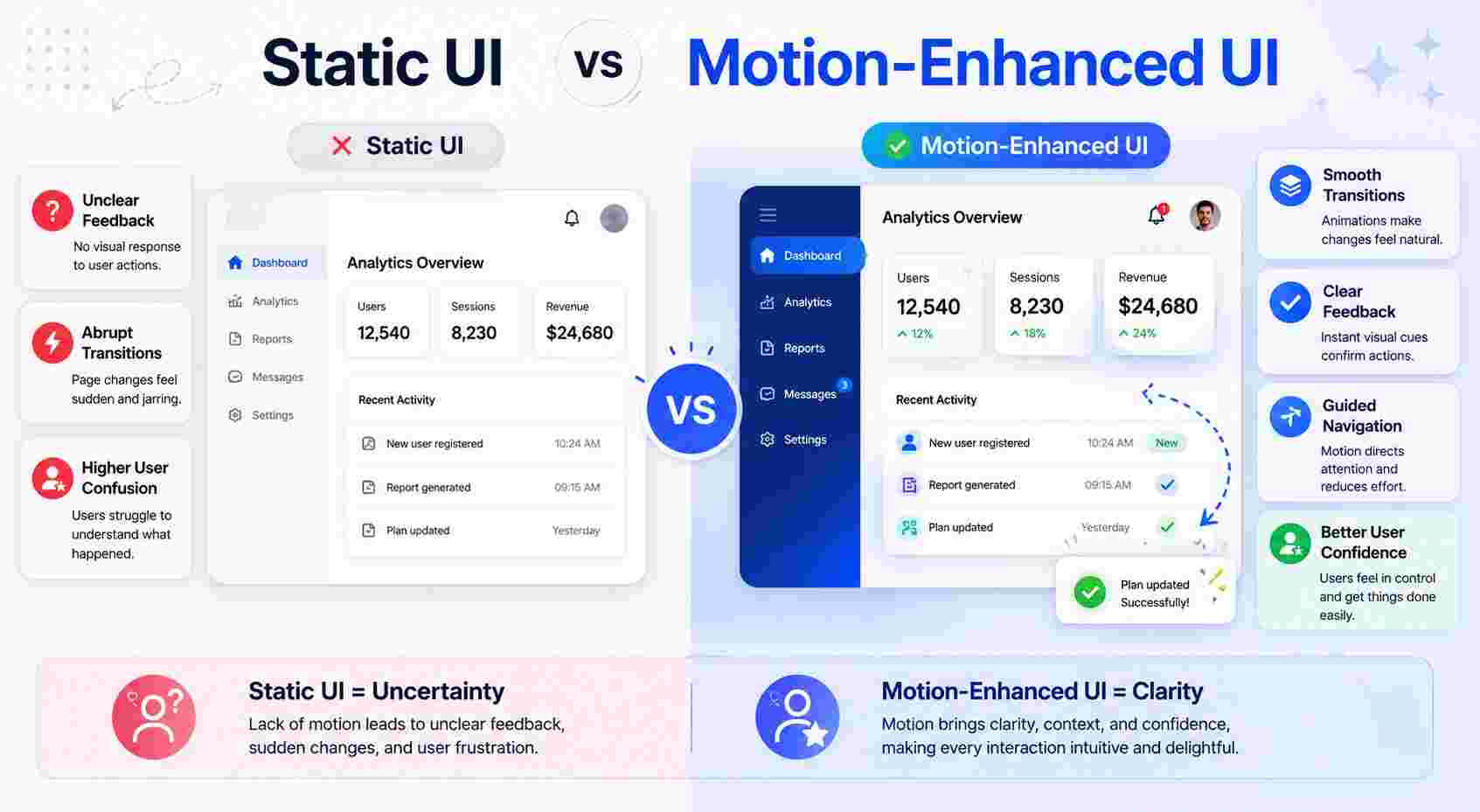
How Businesses Benefit from Motion Design Services
Businesses often think of motion design as a visual upgrade, but it can also support product performance. When used strategically, motion can improve the way users interact with a website, mobile app, or software platform.
Professional Motion Design Services can help businesses:
- Improve onboarding and product education
- Make complex features easier to understand
- Increase user engagement
- Reduce confusion in important flows
- Strengthen brand personality
- Improve the perceived quality of the product
- Create smoother marketing and product demos
For startups, motion design can make a product feel more polished and investor-ready. For SaaS companies, it can make dashboards and workflows easier to understand. For e-commerce brands, it can support smoother purchase journeys. For agencies and service-based businesses, it can make websites feel more interactive and memorable.
The most important thing is strategy. Motion should be connected to business goals and user needs.
Mistakes to Avoid in Motion Design
Motion design can improve UX, but only when used carefully. Here are common mistakes that designers and businesses should avoid.
Overusing Animation
Too much animation can make a product feel chaotic. If every button, card, icon, and section is moving, users may become distracted.
Motion should be selective and intentional.
Making Animations Too Slow
Users want speed. If animations delay basic actions, they can create frustration. Motion should support the experience, not slow it down.
Ignoring Performance
Heavy animations can affect website or app performance. Poor performance can damage the user experience, especially on mobile devices or slower networks.
Using Motion Without UX Purpose
Animation should not be added only because it looks trendy. If it does not improve clarity, feedback, or engagement, it may not belong in the interface.
Forgetting Accessibility
Some users prefer reduced motion. Designers should respect accessibility needs and avoid intense movements, flashing effects, or unnecessary motion-heavy experiences.
Best Practices for Using Motion Design in UI/UX
To create effective motion design, follow these best practices:
- Start with the user journey before designing animations.
- Identify confusing or high-friction interactions.
- Use motion to clarify cause and effect.
- Keep animations short, smooth, and purposeful.
- Create consistent motion rules across the product.
- Test motion with real users when possible.
- Make sure animations do not hurt performance.
- Support accessibility and reduced-motion preferences.
- Use motion to guide, not distract.
- Align motion style with the brand personality.
A professional UI UX Design Agency can help create these standards as part of a design system, making sure that motion remains consistent across the entire product.
Frequently Asked Questions
1. What is motion design in UI/UX?
Motion design in UI/UX is the use of animation, transitions, and visual feedback to improve how users interact with a digital product. It helps explain actions, guide attention, show progress, and make interfaces easier to understand.
2. Why is motion design important for user experience?
Motion design is important because it makes digital interactions clearer and more natural. It helps users understand what is happening on the screen, reduces confusion, and creates a smoother journey through the product.
3. Is motion design only useful for mobile apps?
No. Motion design is useful for websites, mobile apps, SaaS platforms, dashboards, e-commerce stores, landing pages, and digital products of all kinds. Any interface with user interaction can benefit from thoughtful motion.
4. Can too much motion hurt the user experience?
Yes. Too much motion can distract users, slow down the interface, and create accessibility issues. The best motion design is subtle, purposeful, and focused on helping users complete tasks more easily.
5. Should businesses hire professionals for motion design?
If a business wants polished, strategic, and user-friendly interactions, working with professionals can be valuable. Expert Motion Design Services can help ensure that animation supports usability, performance, and brand experience rather than simply adding visual effects.
Conclusion
Motion design has become an essential part of modern UI/UX because it helps users understand digital products more easily. It turns sudden changes into smooth transitions, silent actions into visible feedback, and complicated flows into guided experiences.
When motion is used correctly, it improves clarity, confidence, and engagement. It helps users feel in control because the interface responds in a way that feels natural and understandable.
For businesses, motion design is not just about visual appeal. It can support better onboarding, smoother navigation, improved conversions, stronger product communication, and a more memorable brand experience. Whether handled internally or through a skilled UI UX Design Agency, motion should always be designed with purpose.
The best motion design is almost invisible. Users may not always notice it directly, but they feel the difference. The product feels easier, smoother, and more human.

 Dutch
Dutch
 English
 Arabic
 French
 Spanish
 Portuguese
 Deutsch
 Turkish
 Italiano
 Russian
 Romaian
 Portuguese (Brazil)
 Greek
Greek
