


Why Organizations Should Not Ignore SQL Server EOL?
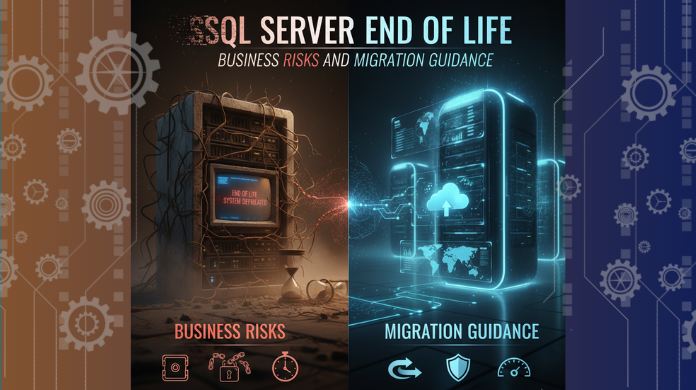
When Microsoft announces the End of Life (EOL) for a SQL Server version, it marks the end of mainstream support, security updates, and ongoing enhancements for that particular release. Yet, many organizations continue running their workloads on outdated SQL Server environments due to budget constraints, legacy dependency concerns, or lack of immediate migration planning. However, ignoring SQL Server EOL can lead to severe security, compliance, and operational risks that directly impact business continuity and data integrity.
Understanding SQL Server End of Life
SQL Server EOL refers to the point when Microsoft permanently stops providing:
-
Security patches and updates
-
Bug fixes or performance improvements
-
Technical support and troubleshooting
-
Compatibility enhancements with new systems
At EOL, the software remains functional, but becomes unsupported, increasing the organization’s vulnerability to cyber threats and operational failures.
If you are specifically running SQL Server 2016, note that its mainstream support has already ended, and extended support is scheduled to cease. To understand what's at stake and what next steps organizations should consider, you should explore SQL Server 2016 End of Life scenarios and upgrade paths.
Why You Should Not Ignore SQL Server EOL
1. Security Vulnerabilities Increase
Unpatched systems are prime targets for cyber-attacks, malware injections, and ransomware campaigns. Without security updates, your database becomes exposed to:
-
Zero-day exploits
-
Unauthorized access attempts
-
Data tampering and breach risks
In industries where data security is critical (finance, healthcare, government), running unsupported SQL Server versions can lead to severe penalties and reputation damage.
2. Compliance and Audit Failures
Regulatory standards like HIPAA, PCI-DSS, GDPR, and SOX require systems to be actively supported and updated. Running SQL Server past EOL:
-
Violates audit standards
-
Can result in legal fines
-
Might break vendor and contractual compliance obligations
This is particularly serious for organizations handling personally identifiable or financial data.
3. Decreased Stability and Performance
As environments evolve, older SQL Server versions may:
-
Fail to integrate with newer software or OS versions
-
Suffer resource inefficiencies
-
Experience slow performance and unoptimized query execution
Over time, maintaining legacy systems becomes more expensive and less reliable than migrating to a modern platform.
4. Higher Operational and Support Costs
When Microsoft no longer supports the version, organizations must rely on:
-
Third-party support contracts (often costly)
-
Internal IT firefighting during outages
-
Extended engineering hours for SQL Server patch attempts
Moreover, downtime incidents increase as outdated databases struggle under modern workloads.
5. Missed Access to Modern Features & Improvements
Newer SQL Server releases introduce significant advantages such as:
-
Cloud-native integration
-
Advanced indexing and query performance enhancements
-
Improved analytics and reporting capabilities
-
AI and automation-driven database optimizations
Sticking with outdated versions means missing growth opportunities and slowing innovation.
Recommended Next Steps
1. Assess Current SQL Server Inventory
Identify:
-
Versions in use
-
Workloads hosted
-
Business-critical databases
2. Plan Your Upgrade or Migration Path
Common paths include:
-
Upgrading to SQL Server 2019 or SQL Server 2022
-
Migrating to Azure SQL Managed Instance or Azure SQL Database
-
Re-architecting workloads to cloud-native platforms
3. Test and Validate Performance
Before full migration, run:
-
Compatibility tests
-
Query performance checks
-
Storage and replication validations
4. Execute with Proper Rollout Planning
Ensure:
-
Backup and recovery strategy is documented
-
Failover procedures are validated
-
Minimal downtime scheduling
Conclusion
Ignoring SQL Server EOL is not just a technical oversight—it is a strategic risk. From security and compliance vulnerabilities to increased operational costs and missed innovation opportunities, the consequences can be significant. Organizations should proactively evaluate their SQL Server landscape, plan migrations, and embrace modern database environments to ensure secure, resilient, and scalable operations.
 English
 Arabic
 French
 Spanish
 Portuguese
 Deutsch
 Turkish
 Dutch
Dutch
 Italiano
 Russian
 Romaian
 Portuguese (Brazil)
 Greek
Greek
